
Linux Command Injection Enumeration: From Web Input to System Discovery
Linux Command Injection Enumeration: Starting with the Vulnerability
Linux Command Injection Enumeration starts after you prove that a web application can execute operating-system commands. Finding command injection is exciting, but proving a command executes is only the beginning. The more useful question is: what can I learn about the system after confirming command injection?
I recently worked through this process using Damn Vulnerable Web Application (DVWA) with its security level intentionally set to Low. DVWA is designed specifically for practicing web vulnerabilities in a controlled environment, making it a good place to examine the enumeration process without targeting a real system.
Damn Vulnerable Web Application (DVWA)
This exercise started with a simple IP address field and quickly became a useful demonstration of how command injection can expose information about the operating system, web-server account, filesystem permissions, SUID binaries, and potential privilege-escalation paths.
Lab only: The commands in this article were executed against an intentionally vulnerable DVWA training environment. Do not use these techniques against systems you do not own or have explicit permission to test.
What Is Linux Command Injection?
Linux command injection occurs when an application passes user-controlled input to an operating-system command without properly validating or sanitizing that input.
In this DVWA exercise, the application provided a field asking for an IP address.
A normal request looked like:
127.0.0.1
The application used that value to execute ping.
The first test was therefore intentionally harmless: submit localhost and verify that the application returned normal ping results.
It did.
The next question was whether the application would interpret shell control characters.
I tried:
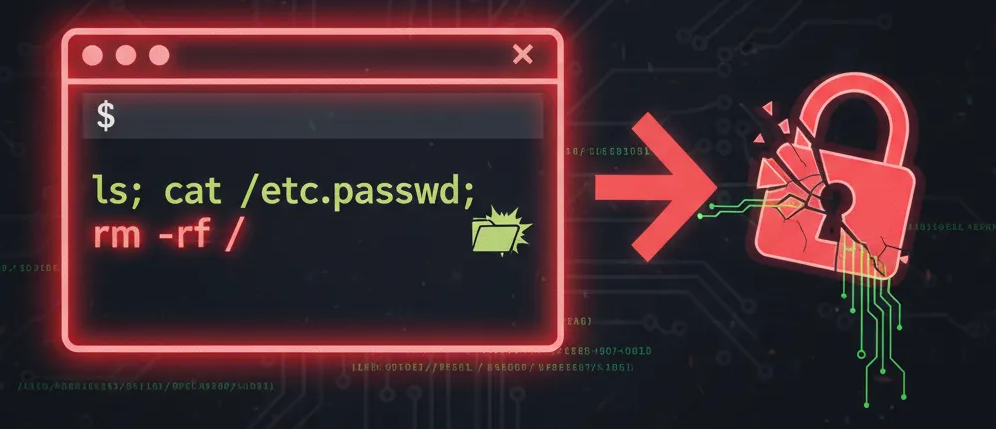
127.0.0.1; cat /etc/passwd
Instead of only returning ping results, the page also displayed the contents of /etc/passwd.
That confirmed the vulnerability.
The semicolon terminated the application’s intended command and instructed the shell to execute another command afterward.
At that point, I stopped thinking about the input field as an IP-address field. It had effectively become a limited command interface to the underlying Linux host.
Determine the Execution Context
One of the first things I wanted to know was which account was executing my injected commands.
127.0.0.1; whoami
The result was:
www-data
This is important.
Successful command injection does not automatically mean root access. The injected command normally inherits the privileges of the application or service executing it.
In this case, Apache was operating as www-data, so my commands were running with the permissions available to that account.
That immediately established the next objective:
What can www-data actually access?
Enumerating the Filesystem
I started by examining the root filesystem:
127.0.0.1; ls -la /
The output revealed a fairly standard Linux filesystem, including directories such as:
/etc
/home
/root
/tmp
/usr
/var
The system also contained an older kernel and filesystem layout, so identifying the operating system became important.
I checked:
127.0.0.1; cat /etc/issue
The target reported:
Ubuntu 14.04.5 LTS
I followed that with:
127.0.0.1; uname -a
which identified the kernel as:
3.13.0-158-generic
This is exactly why enumeration matters. I had gone from knowing only that command injection existed to knowing the operating system, kernel family, architecture, and execution account.
Checking Sudo Access
The next obvious question was whether www-data had any sudo permissions.
My first attempt was:
127.0.0.1; sudo -l
Nothing appeared.
That did not necessarily mean the command failed.
Web command injection often gives you incomplete output because applications may display standard output while hiding standard error.
So I redirected standard error into standard output:
127.0.0.1; sudo -l 2>&1
This time the application returned:
sudo: no tty present and no askpass program specified
That was useful information.
It demonstrated an important enumeration lesson:
No output does not necessarily mean nothing happened.
When working through command injection, redirecting STDERR with 2>&1 can expose errors that the application would otherwise hide.
Enumerating SUID Binaries
Since straightforward sudo access wasn’t available, I moved to SUID enumeration.
SUID executables can run with the effective privileges of their owner rather than the account launching them. A misconfigured or vulnerable SUID program can therefore become an important privilege-escalation path.
I searched for them with:
127.0.0.1; find / -perm -4000 -type f 2>/dev/null
Among the results were:
/bin/mount
/bin/ping
/bin/su
/usr/bin/sudo
/usr/bin/passwd
/usr/bin/pkexec
/usr/bin/at
One particularly interesting entry was:
/usr/bin/pkexec
Rather than immediately attempting an exploit, I continued enumerating.
I checked its version:
127.0.0.1; pkexec --version
which returned:
pkexec version 0.105
I then queried the installed package:
127.0.0.1; dpkg -l policykit-1 2>/dev/null
The system reported:
policykit-1 0.105-4ubuntu3.14.04.2
This is an important habit to develop: identify exact versions before deciding whether a particular vulnerability applies.
Seeing an interesting executable is not proof that it is exploitable.
Looking for Writable Directories
Another valuable enumeration technique is determining where the compromised account can write.
I used:
127.0.0.1; find / -writable -type d 2>/dev/null
The results included expected locations such as:
/tmp
/var/tmp
But there was something considerably more interesting:
/var/www/html
/var/www/html/DVWA
/var/www/html/hackable/uploads
Large portions of the web application directory were writable by the web-server context.
That matters because writable application directories can potentially enable an attacker to modify application content, create files, tamper with application behavior, or establish additional persistence depending on the server configuration.
Again, the important part of the exercise wasn’t immediately exploiting the finding.
It was recognizing it.
Following the Application
At this point I had learned quite a bit about the host, but there was another source of information sitting directly in front of me: the application itself.
DVWA uses a database, which means somewhere in the application’s configuration there should be database connection information.
Searching the web root located:
/var/www/html/config/config.inc.php
Interestingly, attempting to display the file produced no visible output.
That created another enumeration question rather than a dead end:
Can www-data actually read the file?
The next logical command was therefore:
127.0.0.1; ls -l /var/www/html/config/config.inc.php
That is where I stopped the session.
And that’s also a useful place to stop this article, because it demonstrates something I think gets lost in vulnerability walkthroughs.
Enumeration Is a Process, Not a Checklist
The most useful part of this DVWA exercise wasn’t executing cat /etc/passwd.
It was the chain of questions that followed.
I started with:
127.0.0.1
Then established command execution.
From there I learned:
Command Injection
      ↓
whoami
      ↓
www-data
      ↓
Filesystem Enumeration
      ↓
Ubuntu 14.04.5 LTS
      ↓
Kernel 3.13.0-158
      ↓
Sudo Enumeration
      ↓
SUID Enumeration
      ↓
pkexec / policykit
      ↓
Writable Directories
      ↓
Writable Web Root
      ↓
Application Configuration
Each result determined the next question.
That’s the technique I wanted to practice.
Tools such as LinPEAS can automate enormous portions of Linux enumeration, and they are extremely useful. But manually walking through the process first helps explain why those tools check what they check.
Instead of receiving hundreds of lines of automated output, I had to look at each result and decide what it meant.
That makes the eventual automation much easier to understand.
The Defensive Lesson
Command injection is especially dangerous because an application vulnerability can cross the boundary between the web application and the operating system underneath it.
The application intended to execute something equivalent to:
ping 127.0.0.1
But insufficient input validation allowed additional shell commands to be appended.
Once that happened, the security of the host depended heavily on everything surrounding the application:
- Which account runs the web server?
- What files can that account read?
- What directories can it write?
- What SUID binaries are installed?
- Is the operating system patched?
- Are credentials stored somewhere the service account can access?
- Can the application directory itself be modified?
Preventing command injection is therefore the first line of defense, but least privilege matters enormously when prevention fails.
A web application running with minimal permissions limits what successful command injection can become.
Final Thoughts
DVWA’s Low security setting intentionally removes protections, so finding the initial command injection wasn’t difficult.
That wasn’t really the point.
The useful exercise began after the vulnerability was confirmed.
Rather than jumping directly from command injection to an automated exploit, I treated the web application as a limited Linux shell and started asking questions about the system one command at a time.
Who am I?
What system am I on?
What can I read?
What can I write?
What runs with elevated privileges?
What does the application itself know?
Those questions turn a simple vulnerability demonstration into a repeatable Linux command injection enumeration technique.
And next time, I’ll pick up exactly where I left off: figuring out why www-data can locate DVWA’s configuration file but doesn’t appear to be able to read it.