TryHackMe MD2PDF Walkthrough: Exploiting SSRF Through PDF Generation
Overview
This TryHackMe MD2PDF walkthrough explores a deceptively simple web application that converts Markdown into PDF documents. What appears to be a basic document-conversion service turns into a useful lesson in HTML injection, Server-Side Request Forgery (SSRF), directory enumeration, and server-side content rendering.
The challenge demonstrates an important web security principle: when an application processes user-controlled content on the server, the server may have access to resources that an external user cannot reach directly.
In MD2PDF, that distinction becomes the key to solving the room.
Rather than focusing on the final flag, this walkthrough explains the methodology used to identify and exploit the vulnerability.
Note: The challenge flag is intentionally omitted. The goal of this walkthrough is to explain the vulnerability and exploitation process.
MD2PDF Room Information
| Item | Details |
|---|---|
| Platform | TryHackMe |
| Room | MD2PDF |
| Category | Web Exploitation |
| Primary Vulnerability | Server-Side Request Forgery |
| Related Technique | HTML Injection |
| Enumeration | Nmap, Gobuster |
| Target | Markdown-to-PDF Web Application |
[Screenshot – TryHackMe MD2PDF Room]
Initial Reconnaissance
The first step is determining what services are exposed by the target.
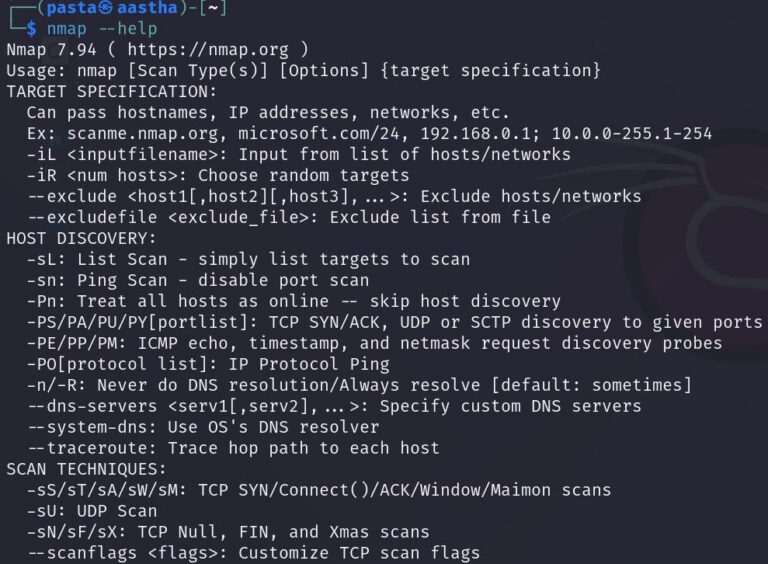
A basic Nmap scan provides enough information to begin investigating:
nmap <TARGET_IP>
Replace <TARGET_IP> with the IP address assigned to the MD2PDF machine.
Why Use Nmap?
Nmap identifies listening network services and gives us a better idea of the target’s attack surface.
The important ports identified during reconnaissance are:
| Port | Purpose |
|---|---|
| 80 | Web application |
| 5000 | Additional web service |
Finding multiple web services is immediately interesting. Even when two ports appear to present similar applications, they should be investigated independently.
[Screenshot – MD2PDF Nmap Scan]
Exploring the Markdown-to-PDF Application
Browsing to the target on port 80 presents a minimal interface that accepts Markdown.
The application takes supplied Markdown content and converts it into a downloadable PDF document.
Normal Markdown can be used to verify the application’s intended behavior:
# Test Heading

This is **bold text**.

This is a Markdown test.
Submitting this content should produce a PDF containing the rendered Markdown.
At this point, the application appears relatively harmless.
However, an important question should come to mind:
Where is the PDF actually being rendered?
If the conversion occurs on the server, the rendering engine may be capable of making network requests from the server itself.
That possibility becomes important later.
Directory Enumeration
After examining the visible application, the next step is searching for resources that are not linked from the main interface.
Gobuster can perform directory enumeration:
gobuster dir -u http://<TARGET_IP> -w /usr/share/wordlists/dirb/common.txt
Command Breakdown
| Option | Purpose |
|---|---|
dir | Enables directory enumeration mode |
-u | Specifies the target URL |
-w | Specifies the wordlist |
The enumeration reveals an interesting endpoint:
/admin
Attempting to access it directly results in a message indicating that the resource is restricted to requests originating from:
127.0.0.1
[Screenshot – MD2PDF Admin 403 Response]
Why the Localhost Restriction Matters
This is the most important clue in the TryHackMe MD2PDF walkthrough.
The /admin endpoint exists, but the web application refuses requests coming from an external machine.
The loopback address:
127.0.0.1
represents the local machine.
In other words, the application effectively trusts requests originating from itself.
From our browser, we cannot satisfy that requirement because our HTTP request originates from our attacking machine.
But the PDF generator runs on the server.
If we can convince the PDF renderer to request /admin, the request may originate from the trusted system rather than from us.
This is where Server-Side Request Forgery becomes relevant.
What Is Server-Side Request Forgery?
Server-Side Request Forgery, commonly abbreviated SSRF, occurs when an attacker can influence a server into making requests to another resource.
Instead of the attacker directly requesting the protected resource, the vulnerable server makes the request on the attacker’s behalf.
Conceptually, the normal request looks like this:
Attacker
   |
   v
/admin
   |
   v
403 Forbidden
The vulnerable workflow changes the path:
Attacker
   |
   v
PDF Generator
   |
   v
localhost
   |
   v
/admin
The second request originates from the server itself.
If /admin trusts localhost connections, the restriction may be bypassed.
Testing HTML Inside Markdown
Markdown processors frequently allow some degree of raw HTML.
That makes HTML injection an important test whenever user-controlled Markdown is rendered into another format.
One useful HTML element for testing remote content rendering is an iframe.
The payload used in this challenge is:
<iframe src="http://localhost:5000/admin"></iframe>
Submit the iframe through the Markdown-to-PDF interface and allow the application to generate the PDF.
[Screenshot – MD2PDF HTML Injection]
Exploiting the MD2PDF SSRF Vulnerability
The critical detail is that the iframe isn’t being loaded by our browser first.
The application processes the submitted content on the server while creating the PDF.
The rendering process encounters:
<iframe src="http://localhost:5000/admin"></iframe>
and attempts to retrieve that resource.
From the PDF generator’s perspective:
localhost
refers to the MD2PDF server itself.
The resulting request therefore becomes:
PDF Renderer
      |
      v
http://localhost:5000/admin
      |
      v
Internal Admin Resource
The server-side renderer can access content that our external browser could not.
When the generated PDF is opened, the internally retrieved content is rendered inside the document.
[Screenshot – Internal Admin Page Rendered in PDF]
The challenge flag appears within this content, but it is intentionally not included here.
Understanding the Vulnerability Chain
What makes MD2PDF useful as a learning exercise is that several relatively small security decisions combine into a larger vulnerability.
The exploitation chain can be summarized as:
Markdown Input
      ↓
Raw HTML Accepted
      ↓
iframe Injected
      ↓
Server Generates PDF
      ↓
Renderer Requests localhost
      ↓
Localhost-Only /admin Accessed
      ↓
Internal Content Rendered in PDF
No single step appears especially dramatic on its own.
Together, however, they allow an external user to retrieve an internal resource.
Why Localhost Is Not a Security Boundary
One of the most important lessons from MD2PDF is that restricting an application to:
127.0.0.1
does not automatically make it secure.
The restriction assumes that software running on the local system can be trusted.
SSRF breaks that assumption.
If an attacker controls where a server-side component sends requests, the attacker may effectively gain the server’s network perspective.
Depending on the environment, SSRF vulnerabilities can potentially expose:
- Internal administrative interfaces
- Internal APIs
- Development services
- Monitoring systems
- Cloud metadata services
- Backend applications
- Services bound only to localhost
This is why SSRF can become significantly more serious in production environments than it initially appears.
Defensive Considerations
Applications that convert user-controlled Markdown or HTML into PDFs should treat that content as untrusted.
Several defensive measures can reduce the risk.
Sanitize User-Supplied HTML
If raw HTML is unnecessary, disable it.
If HTML must be supported, sanitize the content and permit only explicitly approved elements and attributes.
Elements capable of loading external resources deserve particular attention.
Restrict Outbound Requests
The rendering process should not have unrestricted access to arbitrary network destinations.
Network controls can prevent the PDF generator from reaching sensitive internal systems.
Block Loopback and Internal Addresses
Applications that intentionally retrieve external resources should validate destinations before making requests.
Sensitive address ranges may include loopback and private network addresses.
Apply Least Privilege
A document-rendering service generally does not need unrestricted access to internal administrative systems.
Separating the renderer from sensitive backend services limits what an SSRF vulnerability can reach.
Do Not Rely Solely on Source IP
Trusting a request simply because it originated from localhost can be dangerous.
Sensitive administrative functionality should use proper authentication and authorization rather than relying exclusively on network location.
Tools Used
| Tool | Purpose |
|---|---|
| Nmap | Identify exposed services |
| Gobuster | Discover hidden directories |
| Web Browser | Interact with the MD2PDF application |
| Markdown/HTML | Test server-side rendering behavior |
| iframe | Cause the renderer to retrieve an internal resource |
Lessons Learned
The TryHackMe MD2PDF walkthrough demonstrates why seemingly harmless functionality deserves security testing.
A Markdown converter does not immediately look like an SSRF target. However, once the application converts user-controlled content on the server, the renderer becomes another component attackers can potentially manipulate.
The critical investigative steps were:
- Enumerating exposed services.
- Understanding how the Markdown converter behaved.
- Discovering the hidden
/adminendpoint. - Recognizing the significance of the localhost restriction.
- Testing whether raw HTML was supported.
- Using server-side rendering to request the protected resource.
More importantly, the room reinforces the value of understanding where an action occurs.
The same URL requested from an attacker’s browser and from the vulnerable server can produce completely different results.
Key Takeaways
Main lesson: Server-side document rendering can create SSRF vulnerabilities when user-controlled content is allowed to reference arbitrary resources.
Important commands:
nmap <TARGET_IP>
gobuster dir -u http://<TARGET_IP> -w /usr/share/wordlists/dirb/common.txt
Core test payload:
<iframe src="http://localhost:5000/admin"></iframe>
Skills practiced:
- Network reconnaissance
- Web enumeration
- Directory discovery
- HTML injection
- Server-Side Request Forgery
- Server-side rendering analysis
- Localhost access-control analysis
Defensive considerations: Sanitize untrusted HTML, restrict outbound network access from rendering services, protect internal endpoints with authentication, and never assume that localhost-only access provides sufficient protection by itself.
References
- TryHackMe — MD2PDF Room
- OWASP — Server-Side Request Forgery Prevention Cheat Sheet
- Nmap Documentation
- Gobuster Project Documentation